How to export your data to Excel, CSV or PDF
Save up to a year of transactions as a spreadsheet, or as a PDF report with totals and top categories.
 Ibils teamUpdated 1 min read
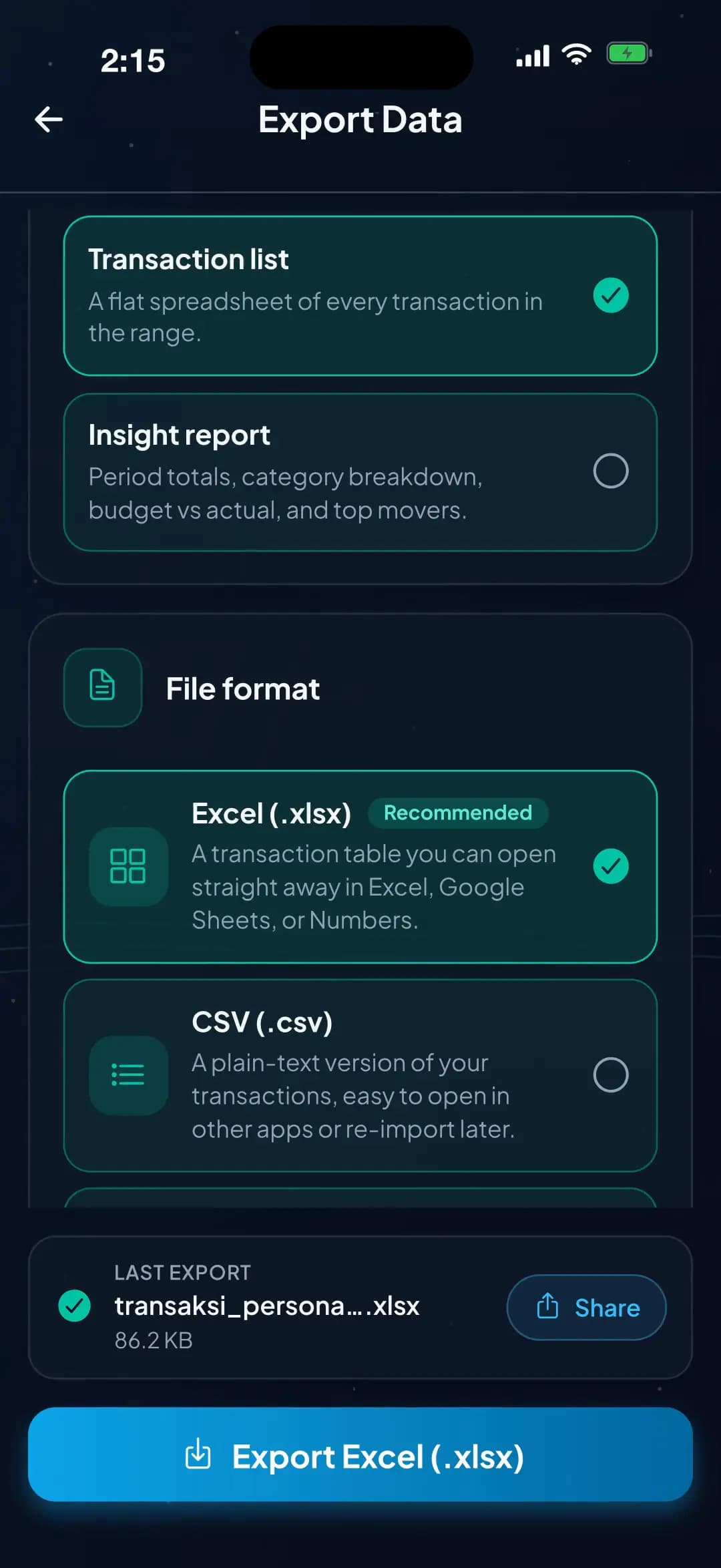
Step 1: Open it in any spreadsheet app
Open Export Data in Tools and pick dates. Excel files open in Sheets too.
DateNameCategoryAmountOct 2Trader Joe'sFood-$42.18Oct 3Uber rideTransport-$16.25Oct 5PaycheckIncome+$2,400.00Oct 6NetflixBills-$15.49Step 2: Keep a PDF of the month
Income, expenses, net and your biggest categories on one page.
Financial reportOctober 2026 summaryNet
+$1,387.40
Income$4,800.00Expenses$3,412.60Top expense categories
- Housing35%
- Food32%
- Transport12%
- Others21%
Step 3: Bring a CSV back in
The CSV uses the seven columns Ibils imports, so it loads straight back.
DateNameCategoryTypeAmountWalletNotes2026-10-02Morning coffeeFoodexpense$4.50Cashwith Dana2026-10-05SalaryIncomeincome$3,000.00CashOctober
Common questions
How do I export my transactions from Ibils to Excel?
Open Tools, then Export Data. Pick a date range, keep Transaction list and Excel (.xlsx) selected, and tap Export Excel.
Can I export to CSV?
Yes. Choose CSV under File format for a transaction list. It includes a byte order mark so Excel reads accents correctly.
Can I export all my data for several years?
One export covers up to 366 days. Run one export per year and keep the files together.
Is exporting free?
No. Export Data is locked on the Free plan and open on premium plans.
Can I export a PDF report?
Yes. Both the transaction list and the insight report offer PDF.